> ## Documentation Index
> Fetch the complete documentation index at: https://docs.alpic.ai/llms.txt
> Use this file to discover all available pages before exploring further.
# Privacy & Data Collection
> Control what data Alpic collects about your MCP server's traffic.
Alpic is conservative by default: analytics work out of the box on metadata alone, and anything that could contain end-user content is opt-in.
### What is collected by default
For every MCP request, Alpic records metadata only:
* The method and tool name called
* The MCP client name (ChatGPT, Claude, Cursor, ...)
* Timestamp, response time, and estimated output tokens
* The error type and code, if the request failed
* A user identity when one can be resolved, stored as a hash for keys and tokens (see How users are counted)
What is never collected, on any plan:
* **IP addresses**
* **Raw API keys or tokens**, only hashes are stored
* **Request or response contents**, unless you explicitly enable payload collection below
### Data collection settings
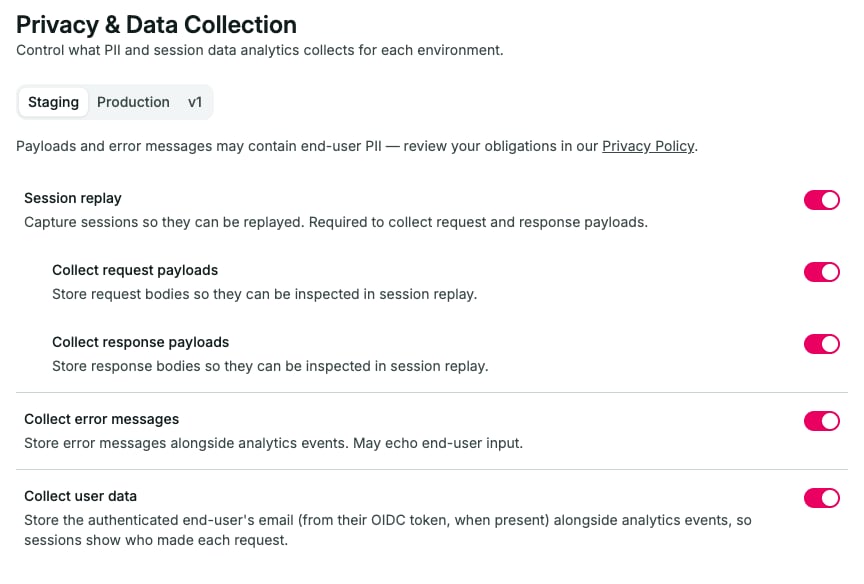
 Data collection is configured in **Project Settings → Privacy**, separately for each environment. This lets you, for example, collect payloads on staging while keeping production metadata-only.
| Setting | Default | What it does |
| ----------------------------- | ------- | ------------------------------------------------------------------------------------------------------------------------ |
| **Session replay** | Off | Captures sessions so they can be replayed. Required before payload collection can be enabled. |
| **Collect request payloads** | Off | Stores request bodies so they can be inspected in session replay. |
| **Collect response payloads** | Off | Stores response bodies so they can be inspected in session replay. |
| **Collect error messages** | On | Stores error messages alongside analytics events. May echo end-user input. |
| **Collect user data** | Off | Stores the authenticated end user's email (from their OIDC token, when present), so sessions show who made each request. |
All of these settings require a paid plan. On the Free plan they appear locked, and nothing beyond metadata is ever stored, including error messages.
Payloads and error messages may contain end-user PII. You are responsible for what your server puts in them. Review
your obligations in our{" "}
Privacy Policy
{" "}
before enabling collection.
A few practical notes:
* Payloads are collected only for `tools/call`, `prompts/get`, and `resources/read` requests, and only while both the corresponding toggle and session replay are enabled.
* Payloads larger than 256 KB are skipped.
* Collected data follows your plan's analytics retention.
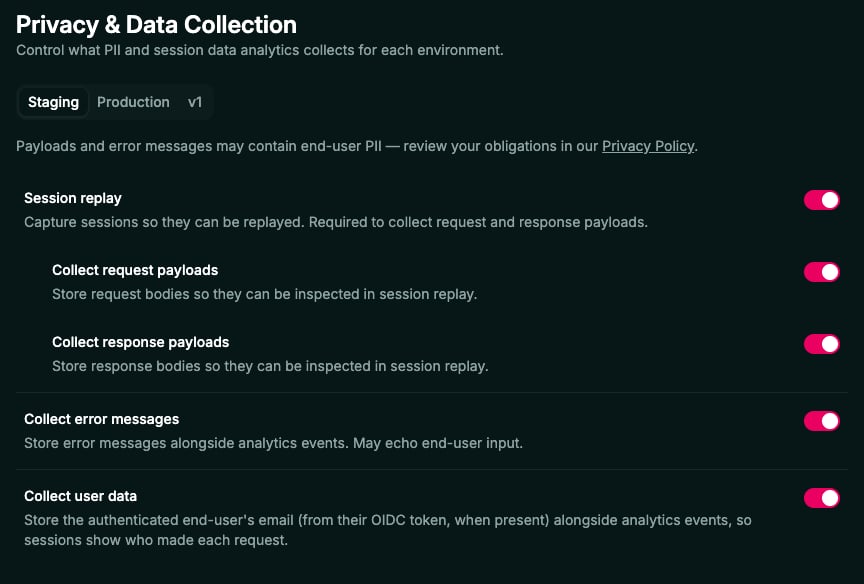
Data collection is configured in **Project Settings → Privacy**, separately for each environment. This lets you, for example, collect payloads on staging while keeping production metadata-only.
| Setting | Default | What it does |
| ----------------------------- | ------- | ------------------------------------------------------------------------------------------------------------------------ |
| **Session replay** | Off | Captures sessions so they can be replayed. Required before payload collection can be enabled. |
| **Collect request payloads** | Off | Stores request bodies so they can be inspected in session replay. |
| **Collect response payloads** | Off | Stores response bodies so they can be inspected in session replay. |
| **Collect error messages** | On | Stores error messages alongside analytics events. May echo end-user input. |
| **Collect user data** | Off | Stores the authenticated end user's email (from their OIDC token, when present), so sessions show who made each request. |
All of these settings require a paid plan. On the Free plan they appear locked, and nothing beyond metadata is ever stored, including error messages.
Payloads and error messages may contain end-user PII. You are responsible for what your server puts in them. Review
your obligations in our{" "}
Privacy Policy
{" "}
before enabling collection.
A few practical notes:
* Payloads are collected only for `tools/call`, `prompts/get`, and `resources/read` requests, and only while both the corresponding toggle and session replay are enabled.
* Payloads larger than 256 KB are skipped.
* Collected data follows your plan's analytics retention.