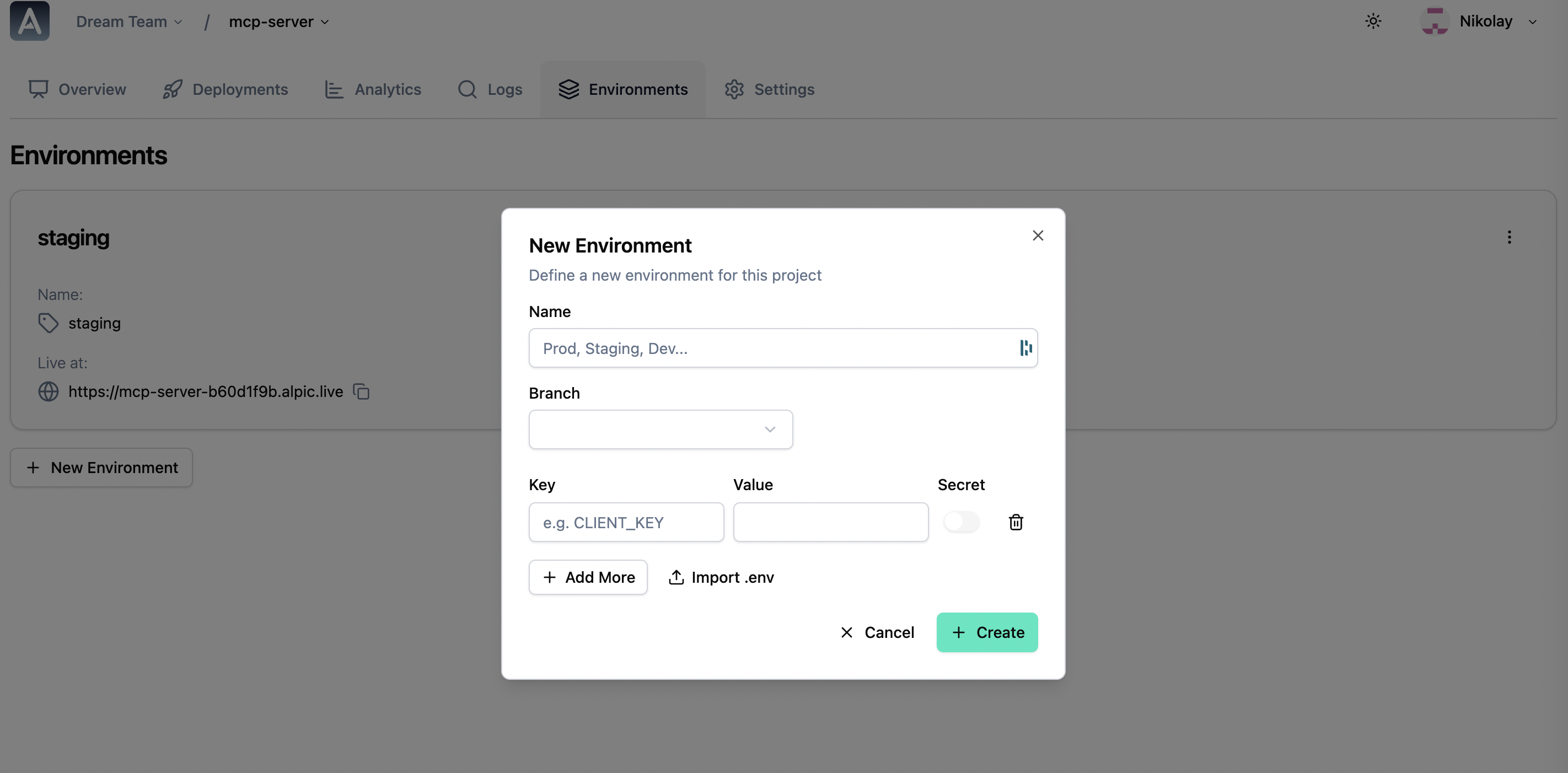
Alpic allows you to create multiple deployment environments for your MCP server. Each environment is linked to a specific branch of your git repository and corresponds to a different version of your MCP server.
To create a new environment:
- Go to your project overview page.
- Click on Environments.
- Click on New environment.
- Name your new environment.
- Select the branch you want to link to this environment.
- Add any environment variables you need for this environment.
- Click Create.
This will generate a new URL that you can use to access this environment’s MCP server.
Changing the tracked branch
You can change the branch linked to an environment after creation:
- Go to your project overview page.
- Click on Environments and select the environment you want to update.
- Click the edit icon next to the current branch name.
- Select or type the new branch name and click Save.
You’ll be notified of the branch tracking update result and you’ll get a chance to trigger a redeploy with the latest code from the new branch if the update was successful.
You can delete environments at any time by clicking the Delete button in your environment settings.