

Accessing the playground
Alpic playgrounds are available on the/try path of your project URLs.
For example, if your server URL is https://my-server-123456.alpic.live, the playground is accessible at https://my-server-123456.alpic.live/try.
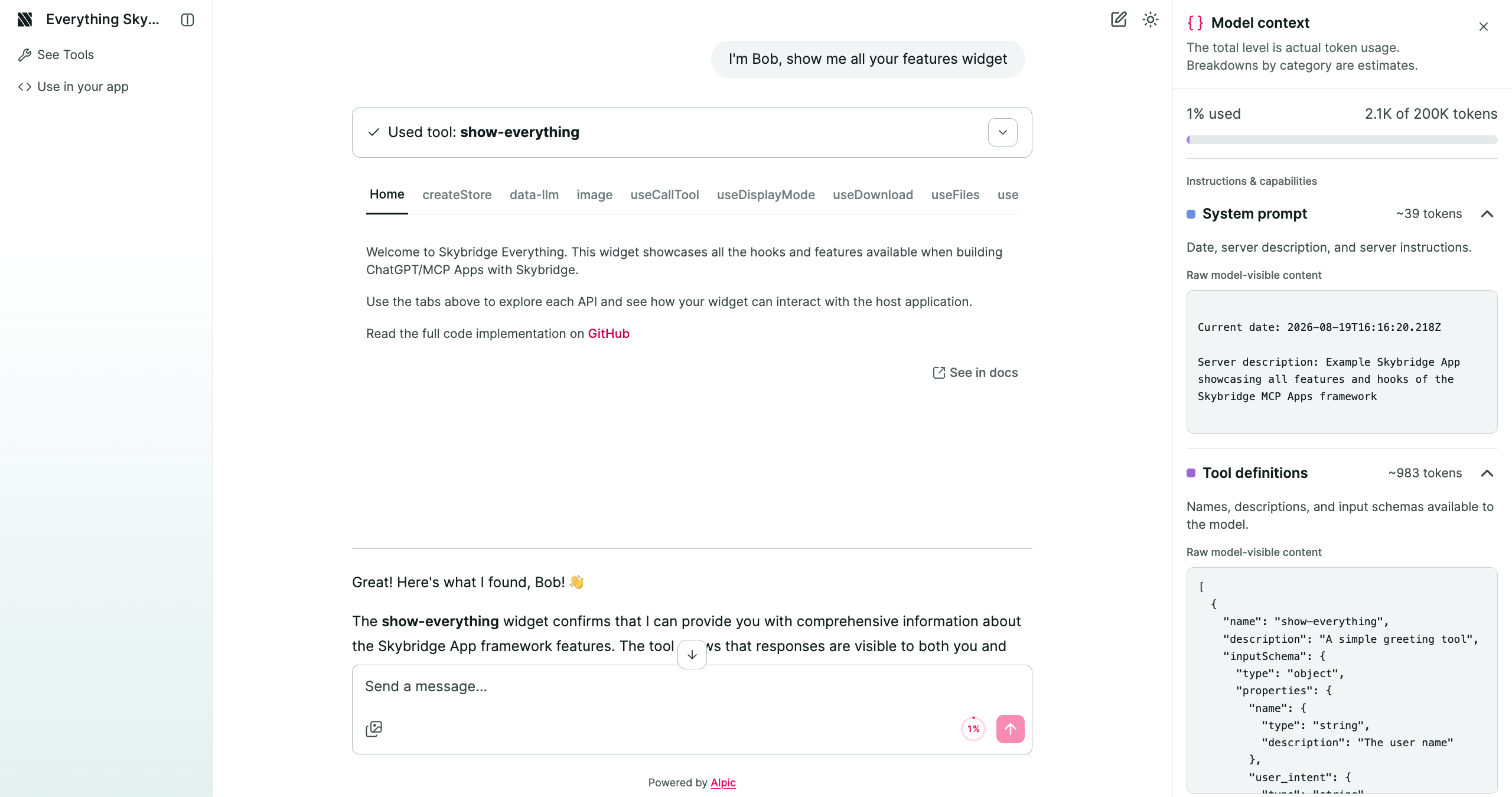
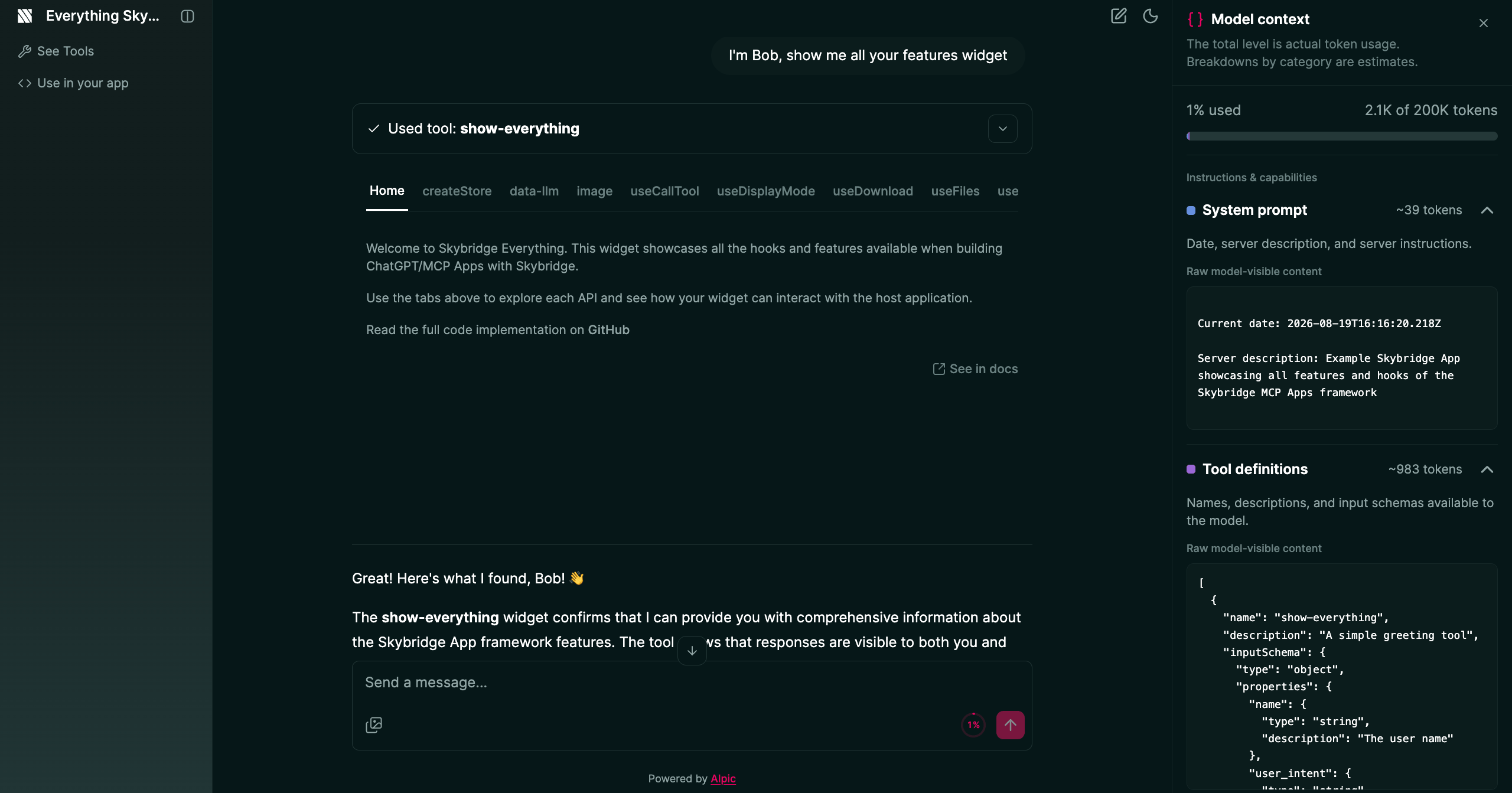
The Alpic Playground in action
https://your-custom-domain.com/try.
If you’re using path prefixes to ship multiple environments of the same project on a custom domain, the playground for an environment with prefix /v1 is at https://your-custom-domain.com/v1/try.
Try a live playground
Open the Everything App playground to see view tools, MCP Apps, ChatGPT App widgets, app-initiated tool calls, display
modes, and more.
Features
The Playground is a full MCP host in the browser. Use this table as the feature map.Customize the playground
Configure the playground from the Distribution > Alpic Playground section of your project in the Alpic dashboard, or with thealpic playground CLI commands.
Enable or disable
The playground is enabled by default for all environments. Toggle it off if you don’t want to expose the/try
page.
Model selection
Choose the model from the model dropdown next to the enable toggle in the Distribution tab. It applies to every conversation in that environment immediately. Available models:- Claude Haiku 4.5 (default) - Anthropic’s fast, cost-efficient model. Good default for quick testing and demos.
- Claude Sonnet 4.5 - Anthropic’s more capable model for complex reasoning and tool use.
- GPT-5.4 - OpenAI model.
- GPT-5.5 - OpenAI’s latest model.
More capable models produce higher-quality responses but consume credits faster. Claude Haiku 4.5 is the
most economical choice for high-traffic playgrounds.
Credits
Each team on Alpic receives $5 of free credits to power playground conversations. Credits are shared across all projects within the team and deducted after each AI response (amount depends on the model). When credits run out, the playground pauses until the team adds more from team billing.Edit Playground settings
Click Edit Playground to configure:- Server name - Displayed in the playground header (1-100 characters).
- Server description - Shown on the welcome screen and given to the AI as context (1-500 characters).
- Example prompts (up to 5) - Quick-start suggestions on the welcome screen. Each has a title and a message sent on click.
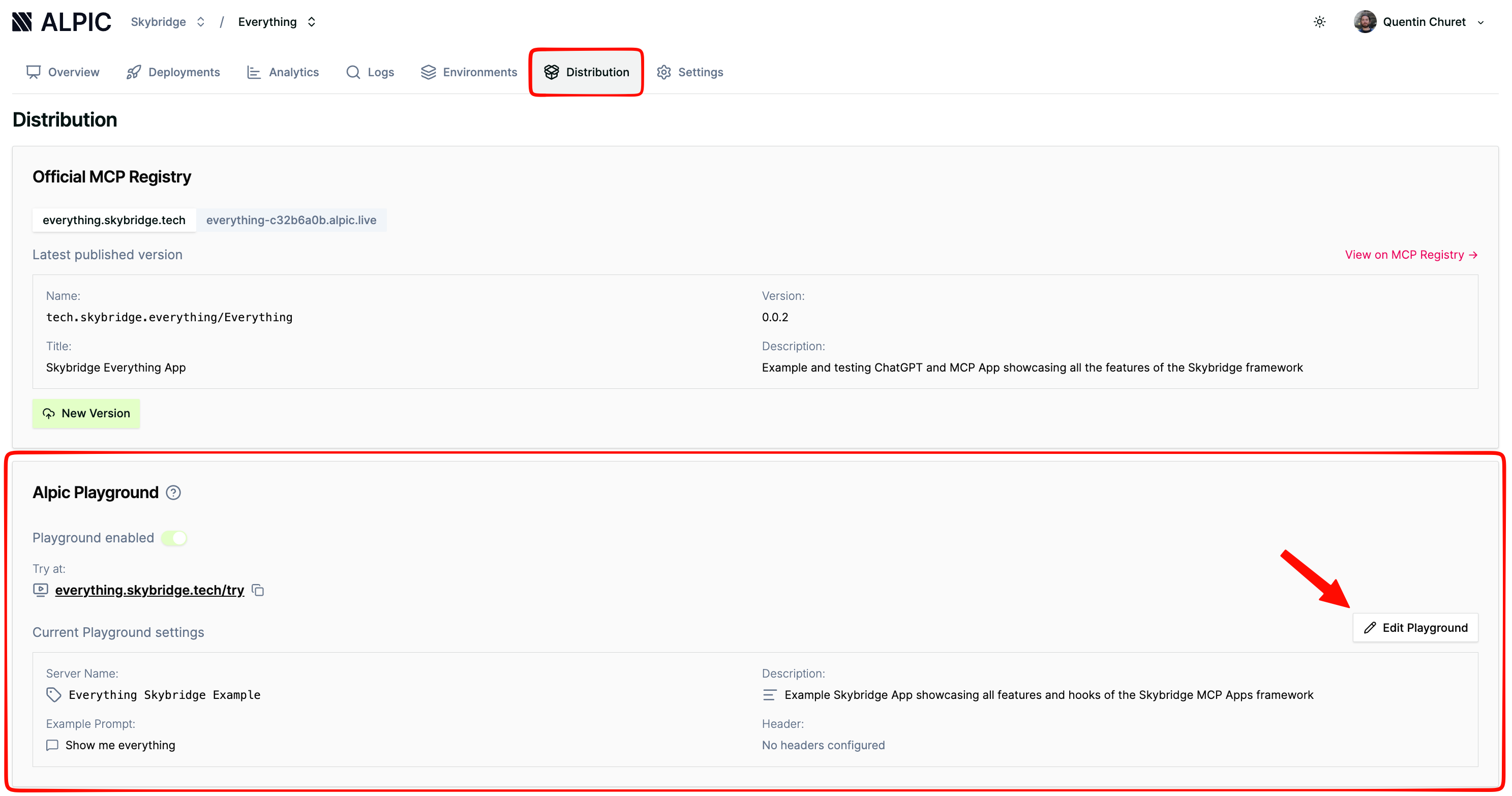
Configure example prompts from the Distribution settings
Custom headers
If your MCP server needs authentication or other parameters as headers, declare custom headers in the playground settings. They are collected in the browser and attached to every request, including app-initiated tool calls.- Required headers - Users must fill them in before sending messages.
- Secret headers - Shown as password fields.