

Overview
The Alpic MCP Server is a hosted MCP server atmcp.alpic.ai that lets you interact with your Alpic account from any MCP-compatible client. You can browse teams and projects, inspect deployment logs, and review analytics.
Available Tools
Project Browser Widget
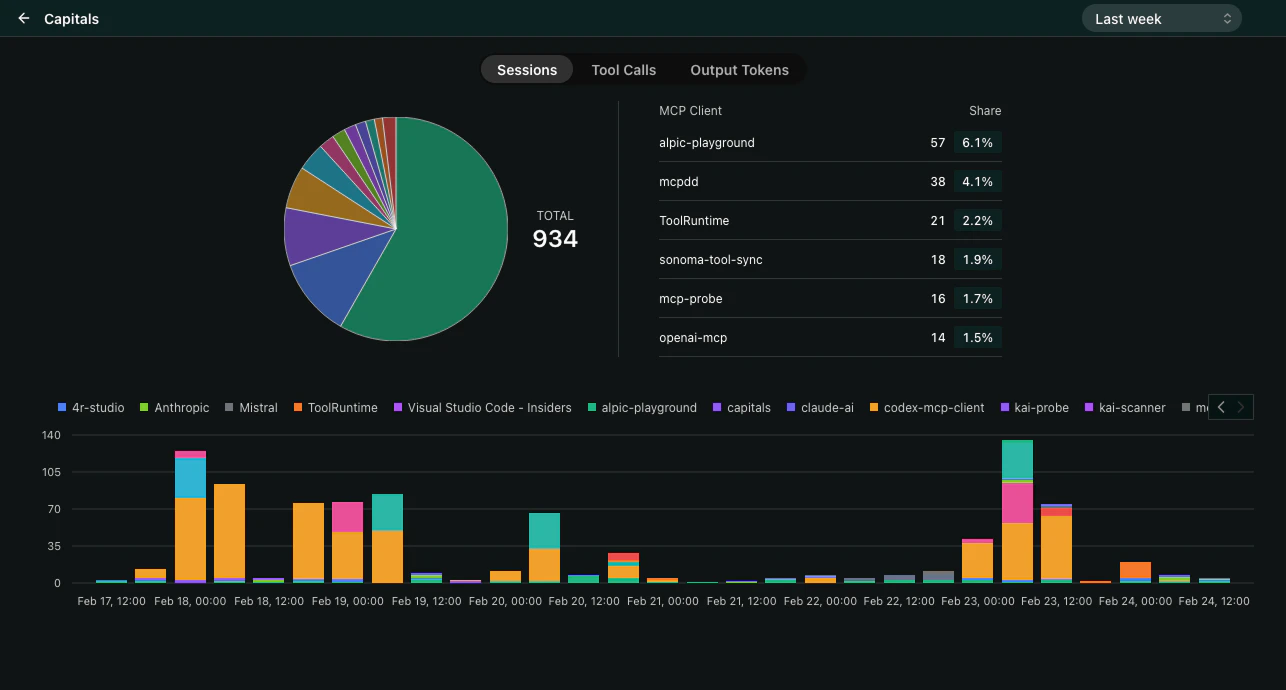
Thelist-projects tool returns a widget that displays your projects as interactive cards. Each card shows the project name, environment status, and key analytics at a glance. The widget supports both inline and fullscreen display modes so you can quickly scan your projects or dive deeper into a specific one.
Try it in the Playground
The fastest way to explore the Alpic MCP Server is the built-in Playground atmcp.alpic.ai/try. It runs a full MCP client in your browser, so you can chat with the tools through a conversational AI interface — no client setup required.
Open the Playground
Sign in with your Alpic account and start exploring the tools.
Clients supporting MCP Apps
Our MCP Server is using the MCP Apps extension that allows rendering of rich UI interfaces through custom Views. When used with MCP Apps compatible clients, it provides interactive visual components alongside the standard tool responses. Install the official app directly:- ChatGPT — Alpic on the ChatGPT app directory
- Claude — Alpic on the Claude directory